
Create report with interactive filters in ServiceNow
Import
·
Nov 16, 2023
·
article


Let’s say you want to create an interactive filter to filter the Opened Incident SLAs for a specific period.
Steps
- Create report Open Incident by Priority (based on incident SLA database view)
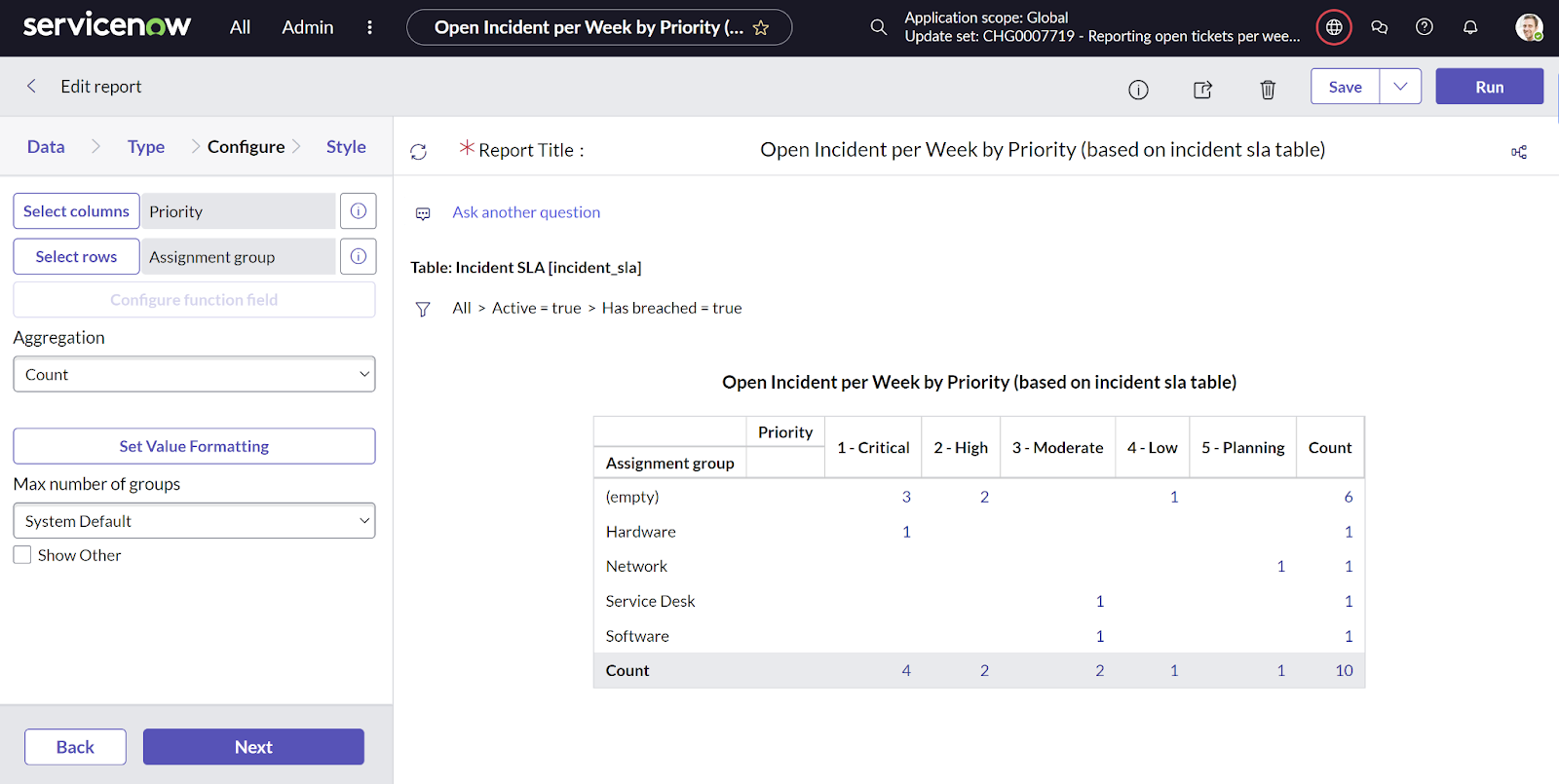
Note: incident_sla is a database view and not a table.
- Navigate to Reports > Administration > Interactive Filters
- Create interactive filter Incident SLA Opened
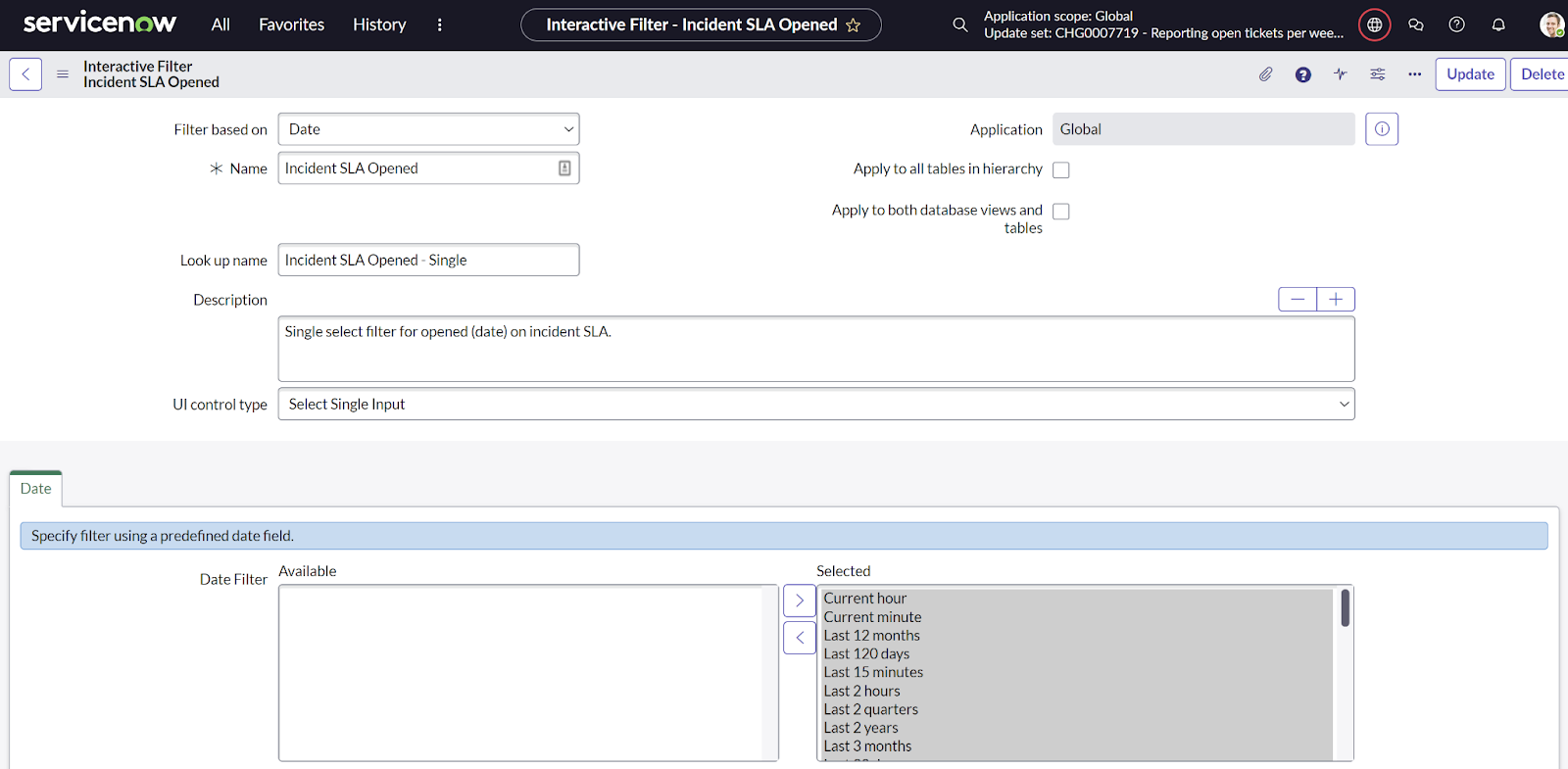

- Create interactive filter date Incident SLA Opened

- Create a new tab in the Open Incidents Reports Dashboard Breached Incident SLAs Pivot
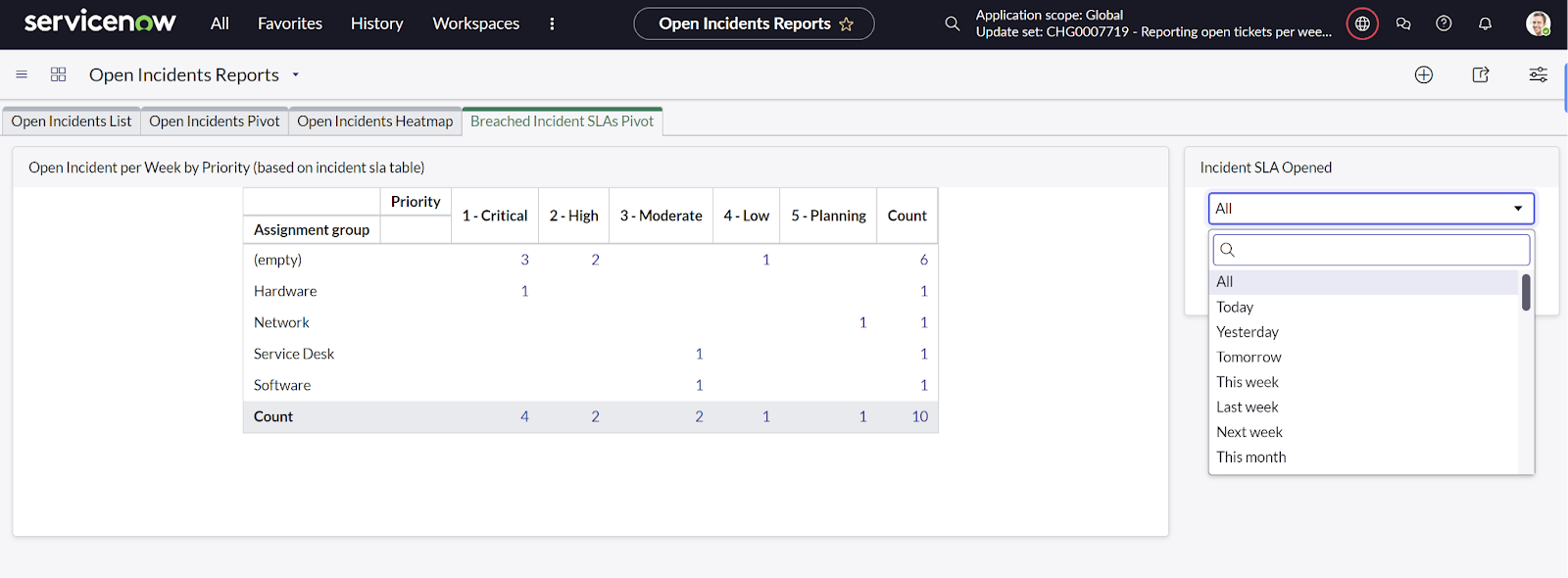
- Add the newly created report and interactive filter to this tab via Add Widgets


View original source
https://www.dancovic.com/2023/11/creating-report-with-new-dynamic-filter.html