
System Event Priorities Capability
 Geoff Topley | ServiceNow Developer
·
Aug 21, 2023
·
article
Geoff Topley | ServiceNow Developer
·
Aug 21, 2023
·
article
<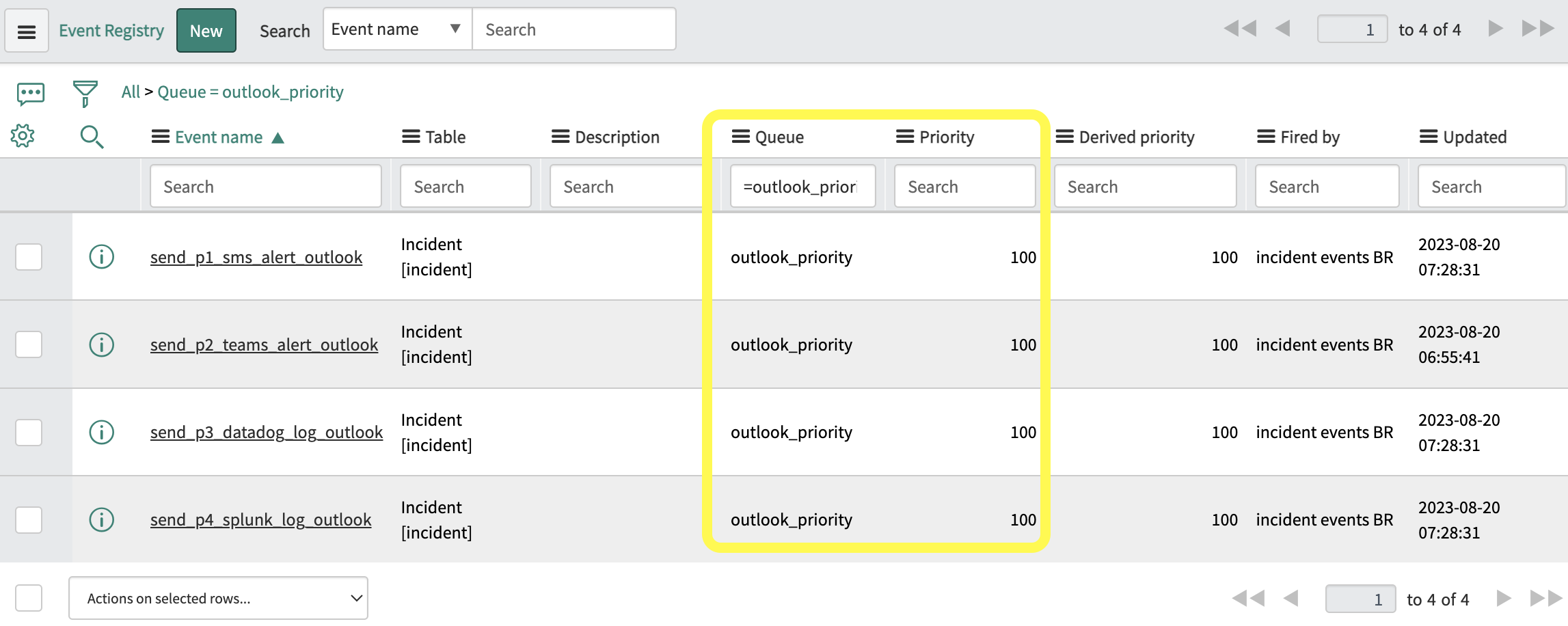
- Update the 'incident events' business rule to trigger the events when the Incident priority changes to 1 and the configuration item is Outlook.
// events triggered to custom event queueif (current.priority.changes() && current.priority == 1 && current.cmdb_ci.getDisplayValue() == 'Outlook') { gs.eventQueue('send_p4_splunk_log_outlook', current, current.priority, previous.priority, 'outlook_priority'); gs.eventQueue('send_p3_datadog_log_outlook', current, current.priority, previous.priority, 'outlook_priority'); gs.eventQueue('send_p2_teams_alert_outlook', current, current.priority, previous.priority, 'outlook_priority'); gs.eventQueue('send_p1_sms_alert_outlook', current, current.priority, previous.priority, 'outlook_priority');}
- Create a Script Action for each event triggered (System Policy => Events => Script Actions). Each script execution mimics a processed transaction. This will help us log the execution order.
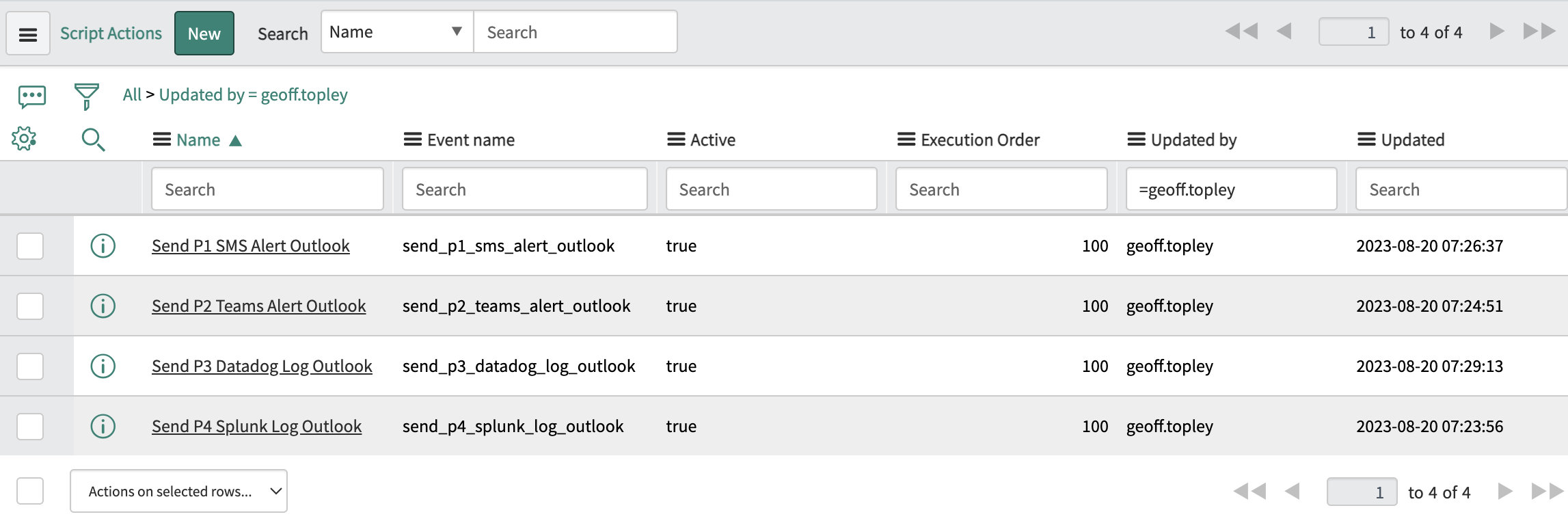
// Send P1 SMS Alert Outlook// Mimic SMS API transactionvar smsAPITransactionTime = Math.floor(Math.random() * (10000 - 1000)) + 1000;gs.log("Send P1 SMS Alert Outlook - Initiated");gs.sleep(smsAPITransactionTime);gs.log("Send P1 SMS Alert Outlook - Completed");
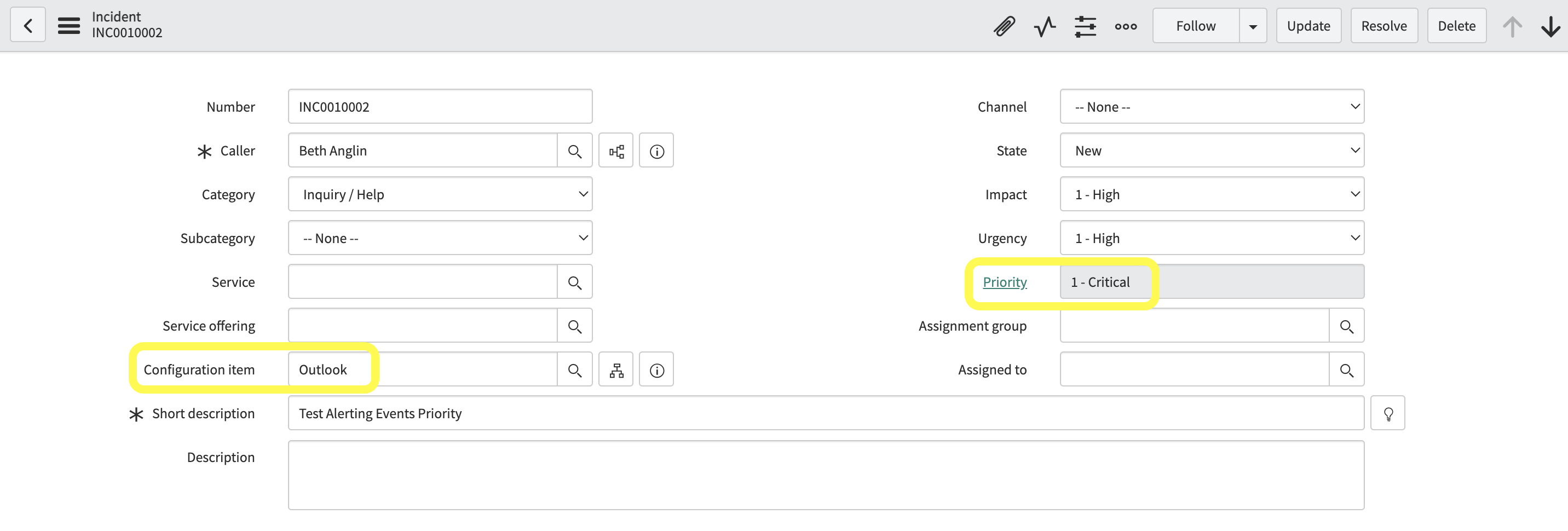
- Create an Incident and set the Configuration item to Outlook and update the Priority to '1 - Critical' to trigger the 'incident events' business rule.
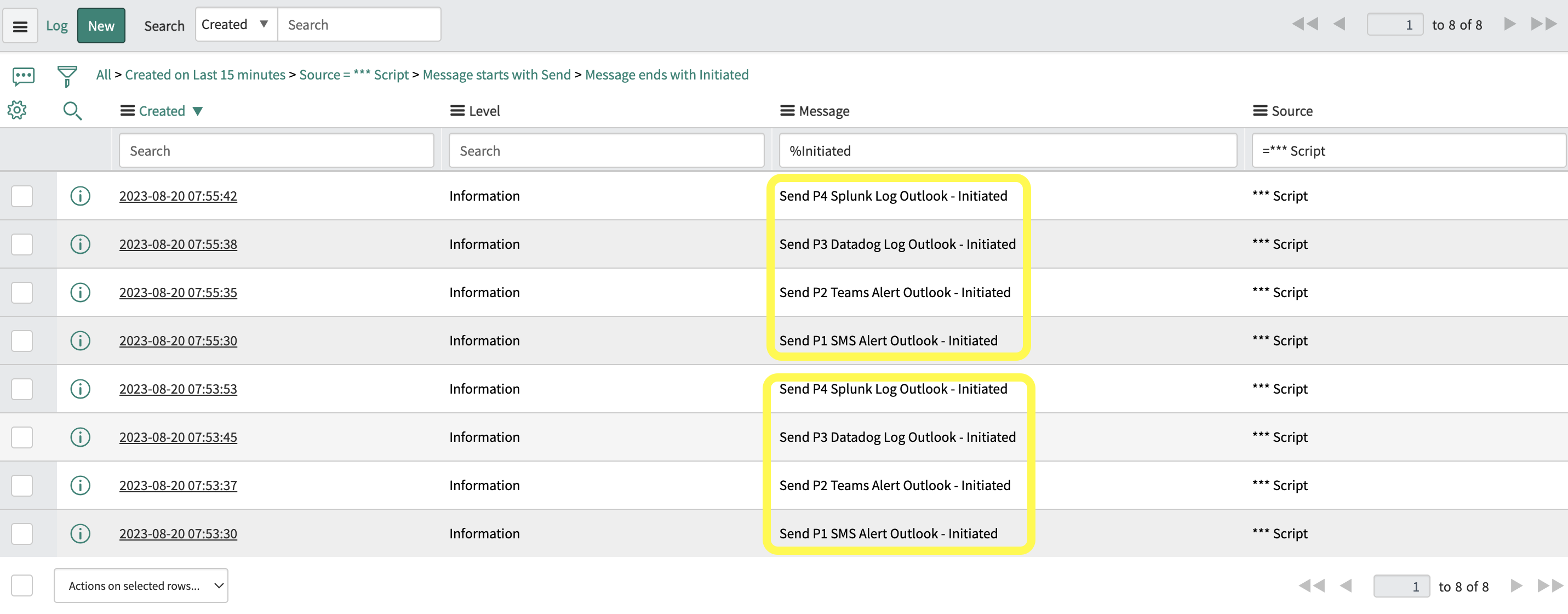
- Note the execution order logged. With common Priority values assigned to each event, the script actions are executed in random order.
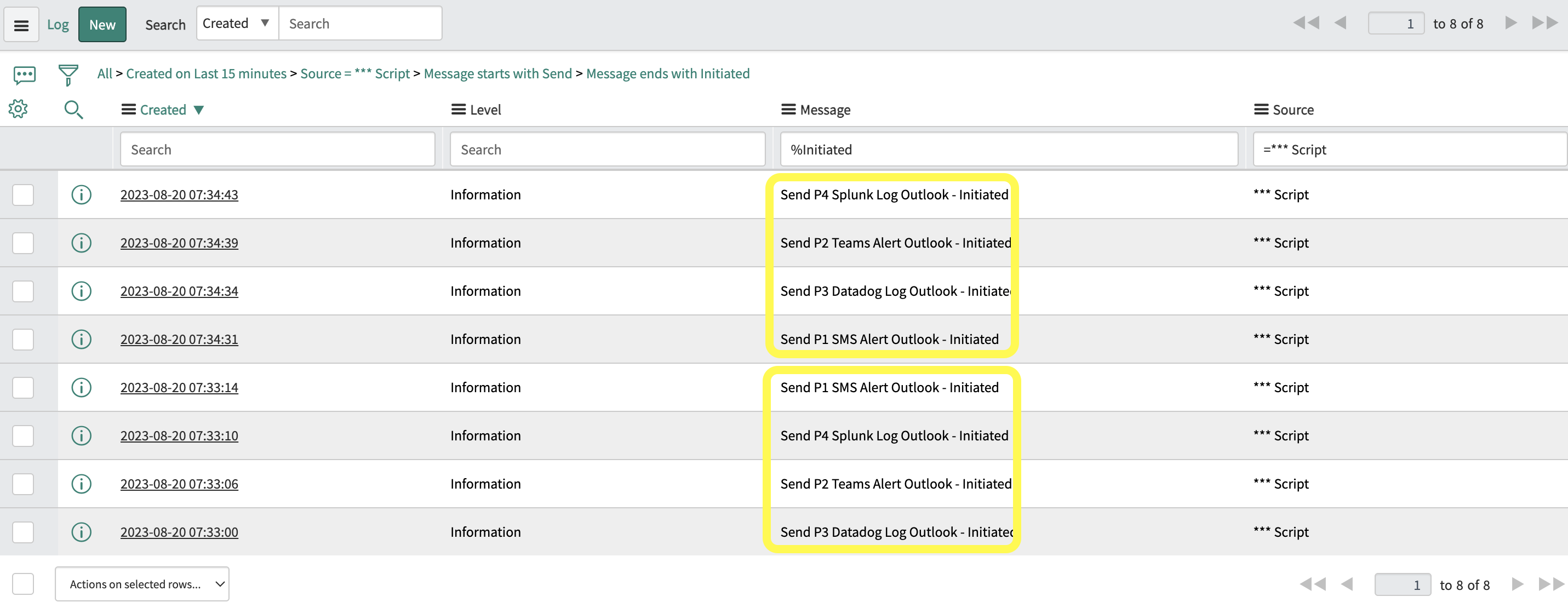
- Experiment with the Priority setting on the Event Registry records and re-trigger the script actions.
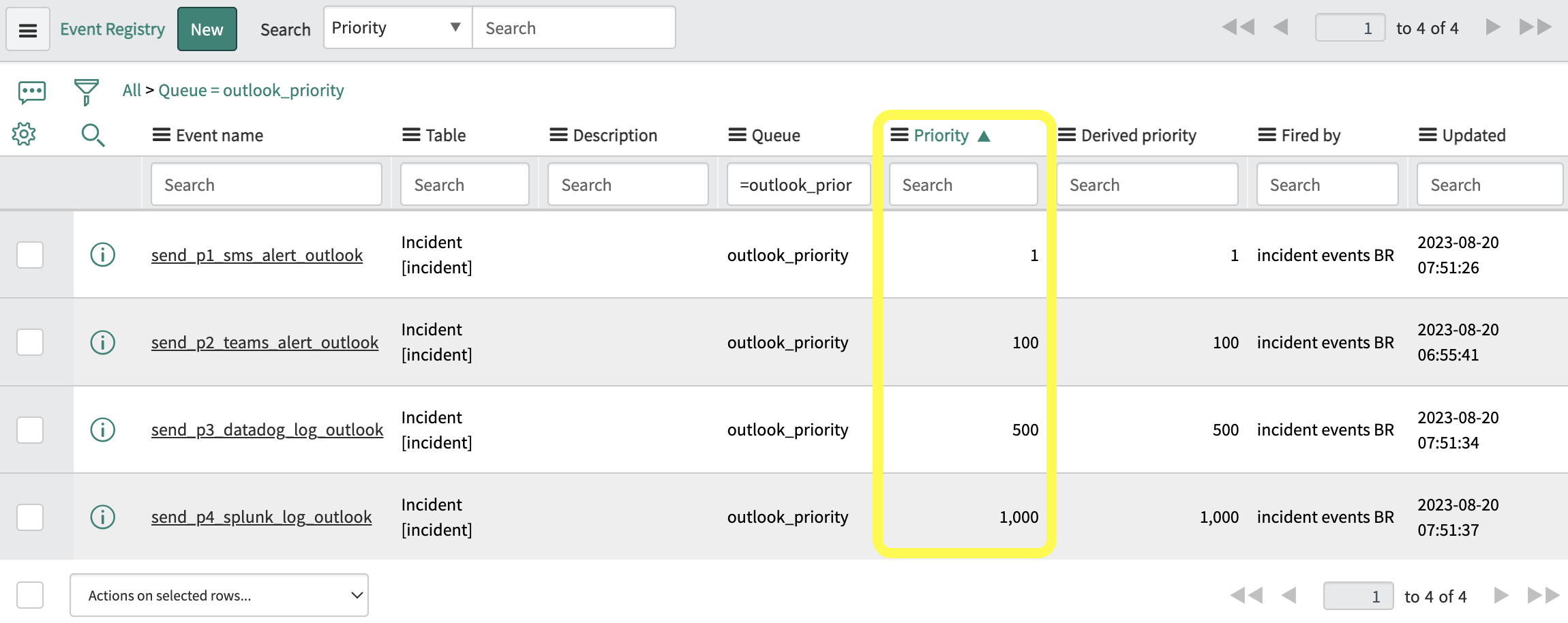
- Note the new execution order logged. The script actions are executed in order of priority (the lower the value taking the highest priority).
Conclusion
A super handy way to prioritize events rather than the unpredictablilty you might currently find with the sysevent table. Previously where the custom event queue would process events sequentially, you now also have the ability to execute them based on priority.
If you have any questions, comments or other tips drop them below.
]]>
https://geofftopley.hashnode.dev/system-event-priorities-capability