
Your account is being impersonated!
 ServiceNow Archives » Rubén Ferrero
·
May 30, 2023
·
article
ServiceNow Archives » Rubén Ferrero
·
May 30, 2023
·
article
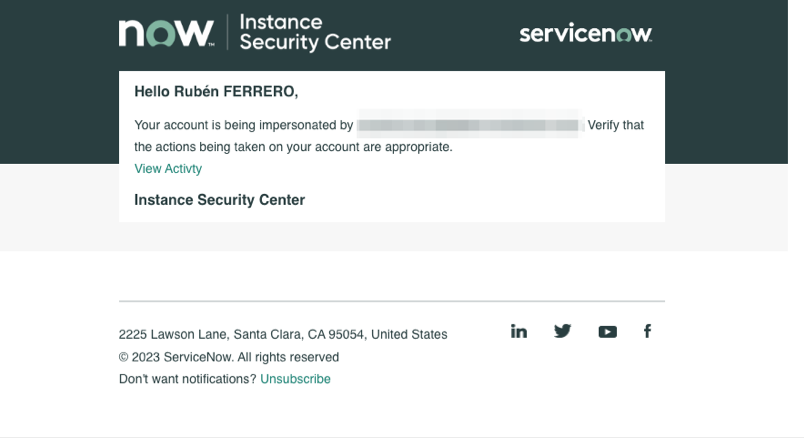
It’s not cool to impersonate your fellow admins.
Especially in a production environment and without asking for permission first.
Check impersonations
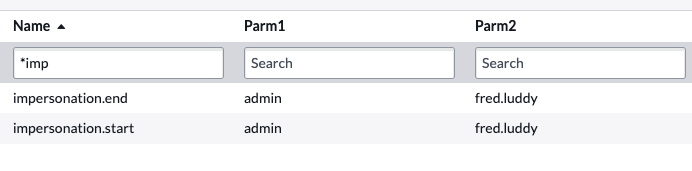
If you are an admin, you can easily find who is using the impersonation feature by checking the event logs [sysevent_list] and looking for the events “impersonation.start” and “impersonation.end”.
- parm1: Impersonator
- parm2: User being impersonated
Instant notifications
But you have better things to do than to monitor the event log queue.
Did you know you can just activate a notification preference in the Instance Security Center (/isc) and you will receive an email when somebody impersonates you?
1. Click on Instance Security Center ➚

2. Click on your name

3. Click on Notification Preferences

4. Check Impersonation

5. Click on Save

Now, anytime somebody impersonates you, you will receive an email!
The post Your account is being impersonated! appeared first on Rubén Ferrero.
https://rubenferrero.com/servicenow/impersonation-notification/