
Customize Report Ranges in ServiceNow
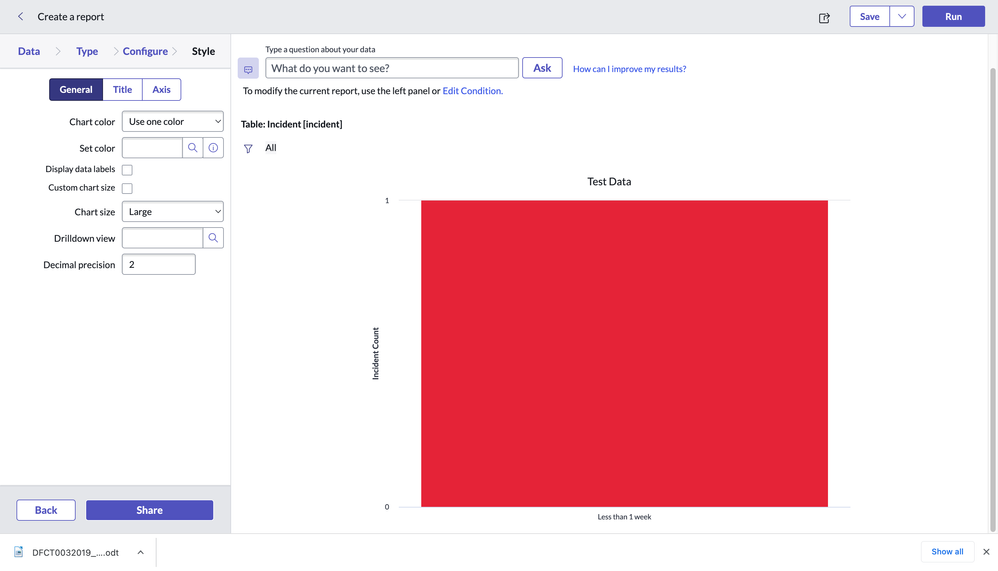
Report range is used to define data intervals that are used in bar and pie charts.
Reports only show historical data. It is not possible to set report ranges for dates in the future.
There is a “sys_report_range” table in which all report ranges are stored. We can create customize report range in following ways
navigate to Reports > Administration > Report Ranges.

Element- on which field of table you want to use it
Upper duration value- In which duration you have to calculate range. Ex. In the above field it will be less than 1 week hence the upper duration value is 7.
Name- In which table you have to apply. It is table limitation. This report range is not used for any table rather than incident.
Upper Int Value-Example: One report range has an upper limit of 10 and an Order of 20. A second report range has an upper limit of 5 and the Order of 19. Values from 5 to 10 display the formatting specified by this range.
In the report of the incident table, you can use this customised report range.

For more detail analysis, Please check below ServiceNow docs for reference.
https://www.servicenow.com/community/developer-articles/customize-report-ranges-in-servicenow/ta-p/2576490