
Service Operations Workspace (SOW) - List view configuration
Import
·
Apr 14, 2023
·
article
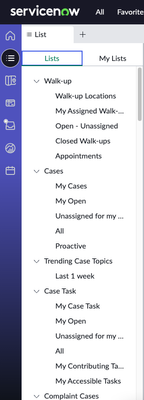
In the Service Operations Workspace (SOW), if you like to change the "Lists" sequence or add or remove items, here is a quick easy way to do so.
Original view and Modified view:


Instructions:
- Navigation bar -> sys_ux_list_menu_config.list -> Open "Default - SOW" or your List Menu if you have created a copy
- Change Application scope as requested. Default is "Service Operations Workspace Core"
- In the UX List Categories tab, change the Order as needed. Save and reload SOW to see the changes.
- To add a new list, click on New -> give it a name, Save and follow the steps to add UX Lists
.

Save and reload your SOW to see the updates.
View original source
https://www.servicenow.com/community/next-experience-articles/service-operations-workspace-sow-list-view-configuration/ta-p/2534744