
Enable Employee Center in Microsoft Teams! (Part 1 of 2)
Import
·
Mar 30, 2023
·
article
| Pre-Requisite | Details |
|---|---|
| ServiceNow Instance | Rome or above |
| Plugins | Ensure that your EC/EC Pro plugin is installedThe MSFT plugin you'll need to have installed is "Microsoft Integrations - Core" |
| Successful Integration Between ServiceNow and Microsoft | Please see this article on how to integrate the two platforms |
| ServiceNow Role | "external_app_install_admin |
| Microsoft Role | No Applicable |
| Step | Preview of Step |
|---|---|
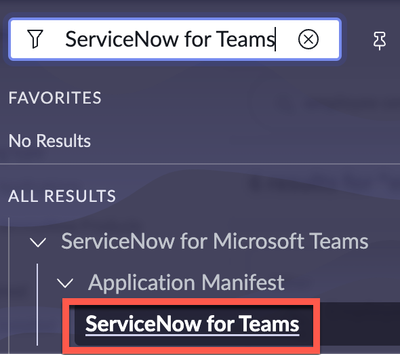
| Step 1: Select "ServiceNow for Teams" from Filter Navigator |  |
| Step 2: Click the “New” button In the top right corner |  |
| Step 3: Confirm the Details and Click "Update" |  |
| Step 4: Click "Next" |  |
| Step 5: Select "Connect a Single ServiceNow Instance" OR "Connect multiple ServiceNow instances to your Microsoft Teams tenant" and select: "Next" Optional Step: "Review Virtual Agent" *Notes: 1) Virtual Agent requires license to deploy in Production 2) Virtual Agent light does not require a license to deploy in Production |  |
| Step 6: Configure Tab Name |  Note: This is the name that will appear within Microsoft Teams Note: This is the name that will appear within Microsoft Teams |
| Step 7: Select "Download Manifest" |  |
View original source
https://www.servicenow.com/community/ms-teams-articles/enable-employee-center-in-microsoft-teams-part-1-of-2/ta-p/2509917