
Set values in a Multi Row Variable Set (MRVS).
Hi there,
Hope you are doing well..!
The following article is intended to help people to set values within a Multi Row Variable Set (MRVS) based on value(s) set on a variable on the catalog item.
Let's get started, here we will be using g_service_catalog API*.*
g_service_catalog is a client-side API that enables accessing data of variables in catalog items to a multi-row variable set (MRVS) when a model is open. This API is available in all environments, such as Service Portal, Now Platform, Workspace, and Now® Mobile.
Result:
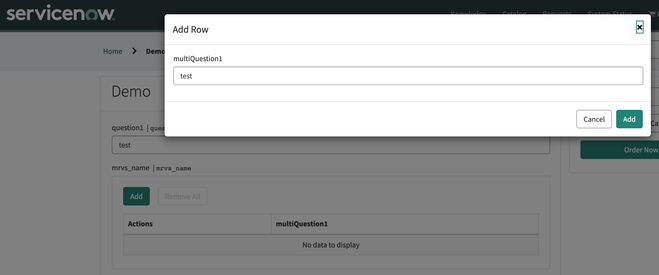
Let's just start with the end result that we are trying to achieve. When a user input some value on the catalog item variable same should be set/copied to the MRVS variable.

Here we have to use the OnLoad Catalog client script in MRVS as below.
question1 is a variable of the Catalog item.
multiquestion1 is a variable of MRVS.
function onLoad() {
    //Type appropriate comment here, and begin script below multiquestion1
    //get field value of the variable in catalog item
    var getValueQue1 = g_service_catalog.parent.getValue('question1');
    if(getValueQue1){
    //set field value to MRVS variable
    g_form.setValue('multiquestion1',getValueQue1);}
}

If this post helped you in any way, I would appreciate it if you hit bookmark or mark it as helpful.
Regards,
Hemant Goldar
https://www.servicenow.com/community/developer-articles/set-values-in-a-multi-row-variable-set-mrvs/ta-p/2510137