
How to Add Videos in Knowledge Article? - Emergys
Import
·
Feb 15, 2023
·
article
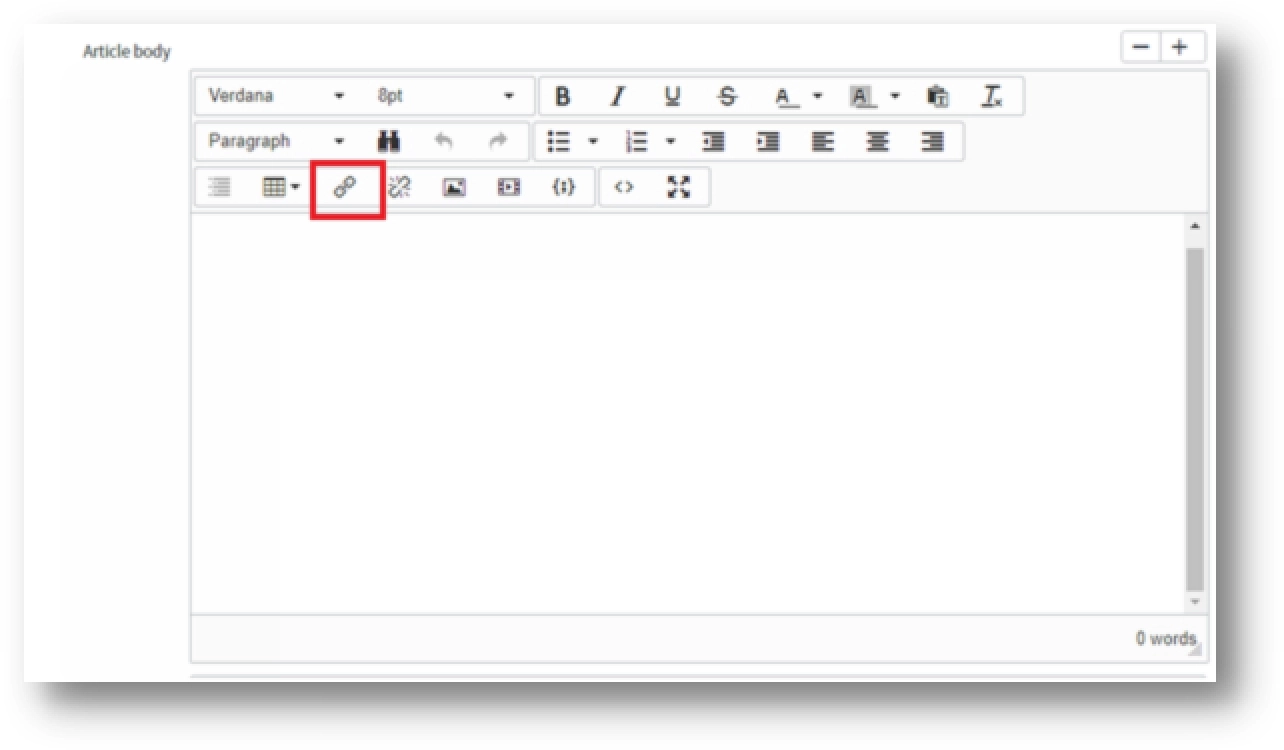
To add the video in Knowledge Article, we can use the following 2 methods in Article Body Field:
In the Article Body field there is an “Insert/Modify Link” option to attach a link to a video or any other URL which you want to add as a part of KA.

Clicking on “Insert/Modify Link” option a dialog box will open where you can add the URL and Text.


Another way of adding the Video to the KA is by “Insert/Modify Video” option. There are 3 different types to add a video in article:
- Video Library
- URL
- Attachment
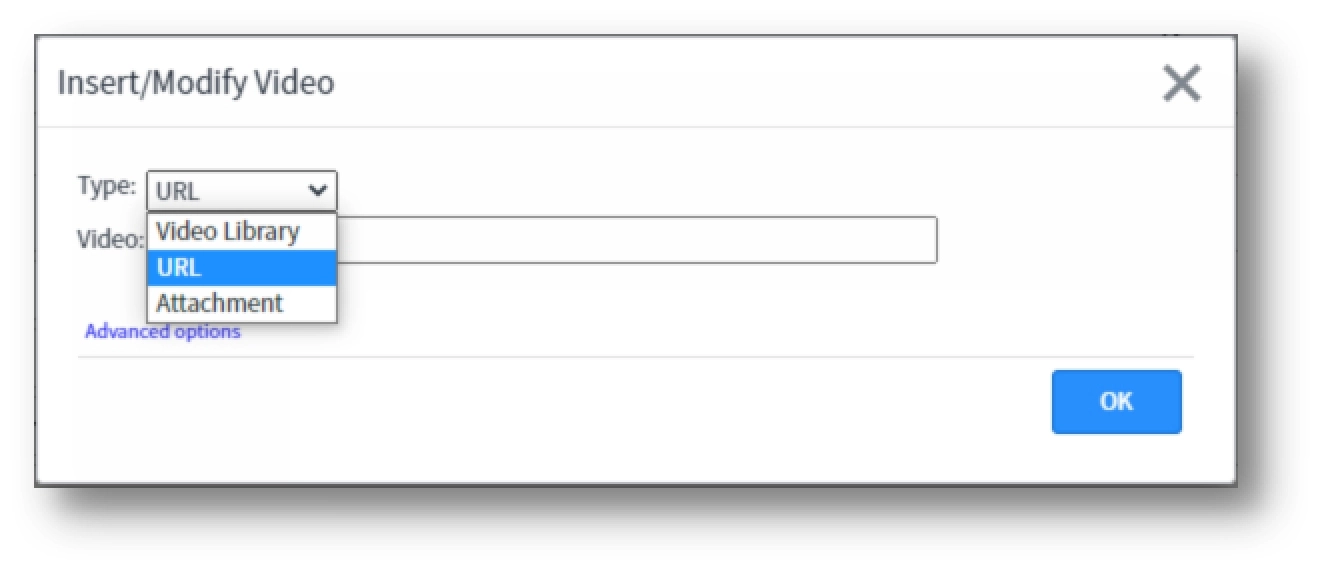
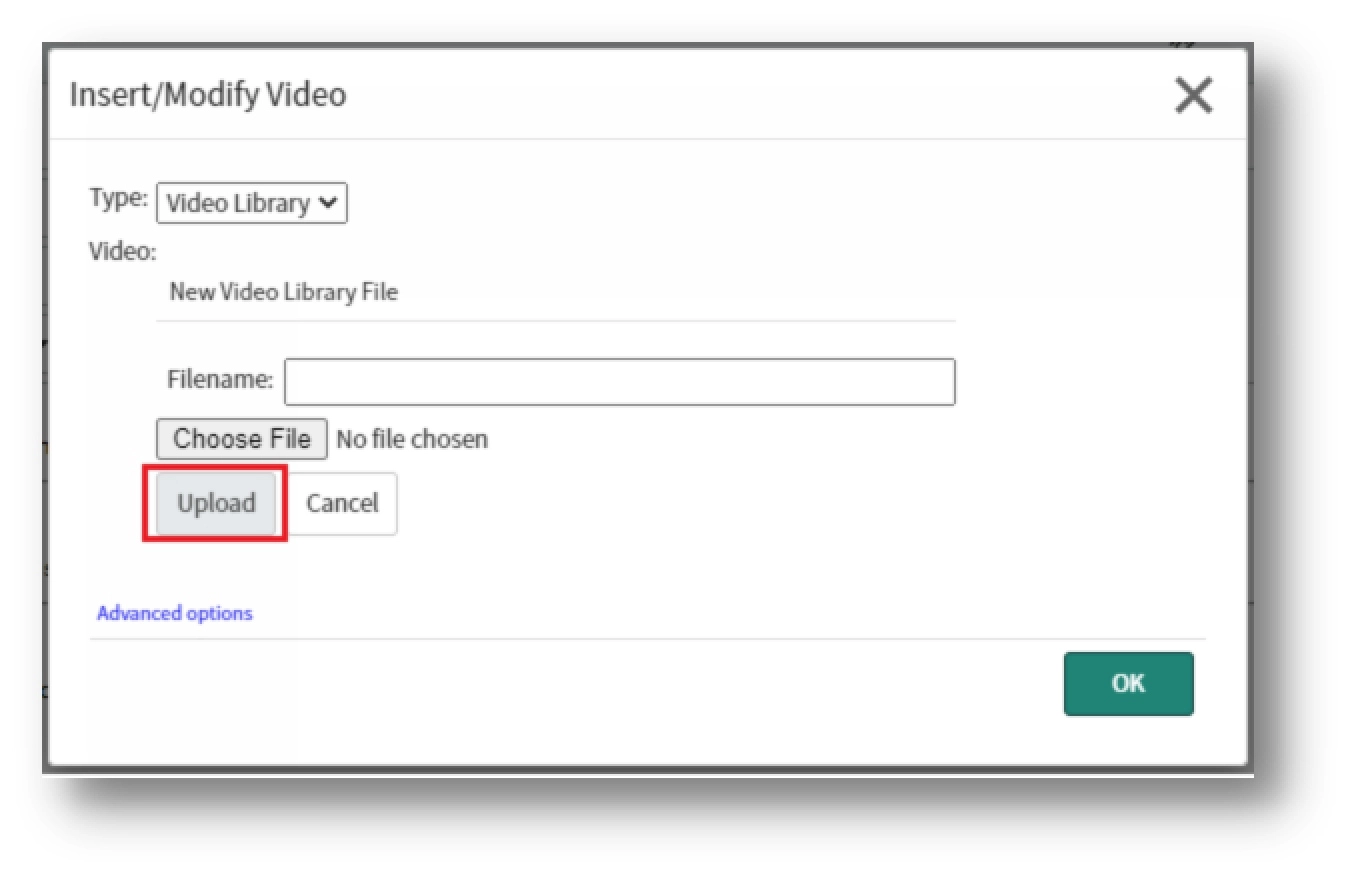
i. Type: Video Library
- List of videos stored in the db_video table can be reused.
- Supported file types: .webm, .mov, .mp4
Steps to add video:
- Select Type as Video Library, you can either select the existing video or you can add the new video by clicking on the New button.

- Select the video you want to upload, and click on the upload button. This will upload the video in the “db_video” table which will be available and can be uploaded in the future Knowledge Articles.
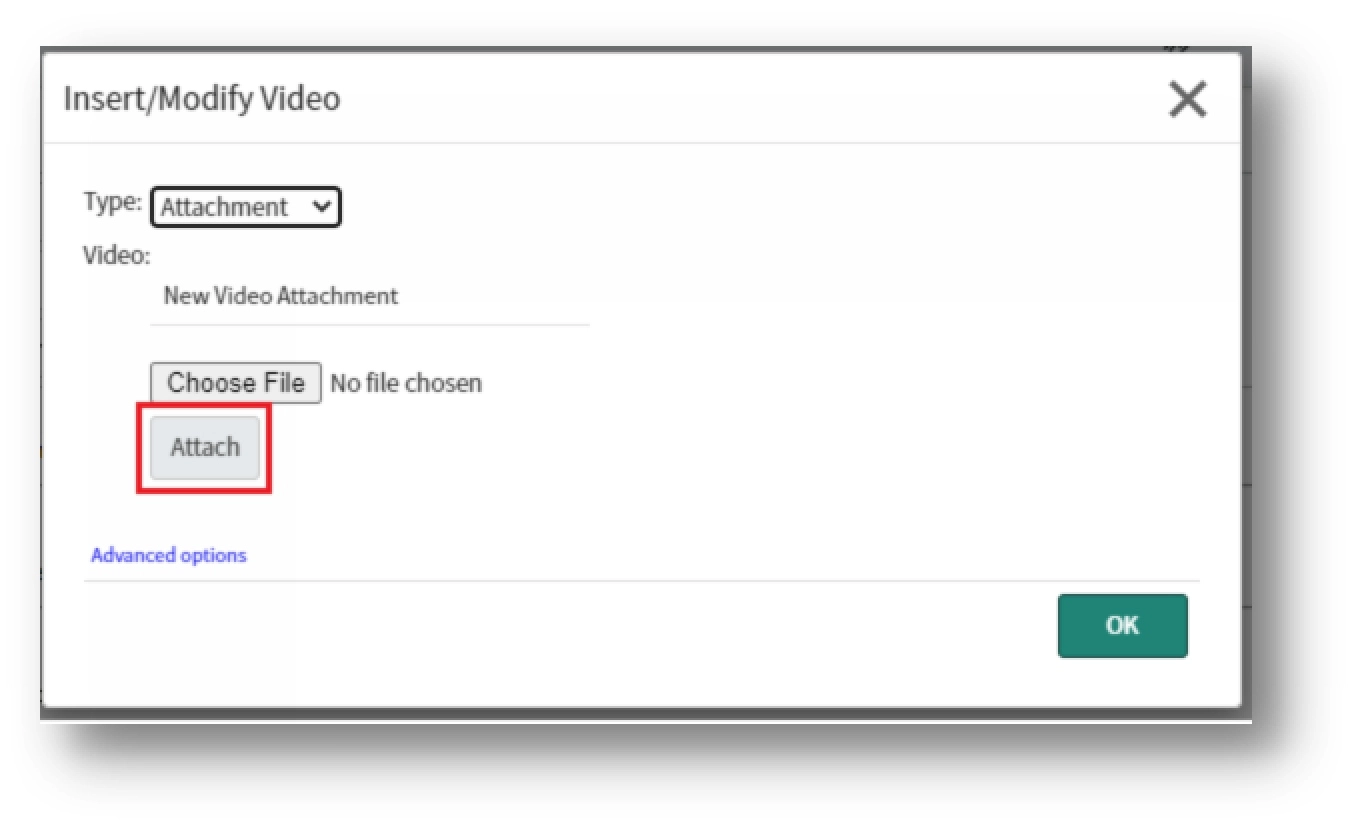
ii. Type: Attachment
- We can upload any video from our computer into the article.
- Videos available in the current record only
Steps to add video:
- Select Type as Attachment, you can choose the video you want to add as an attachment in the Knowledge Article by clicking on the Attach Button.
- Once the video is attached click on OK. This will close the dialog box and the video will be added as an Attachment to the Knowledge Article.
- In Insert/Modify Video – Type as URL: Adding the video from the URL, will give the black screen for video.
- Insert/Modify Video – Type as Video Library or Attachment: Currently, .avi files are not supported to be added in the Knowledge Article
View original source
https://dxsherpa.com/blogs/how-to-add-videos-in-knowledge-article/