
Setting up phone number validation on Now Platform (Phone number validation on catalog variables)
There are two field types: "Phone Number" and "Phone Number (E164)" to use phone numbers on the platform.
"Phone Number" is a legacy data type which inherits from String whereas "Phone Number (E164)" is the newer data type that provides richer functionalities and supports phone numbers in multiple country codes. Use the newer data type "Phone Number (E164)" whenever you want to add a custom phone number field in a table.
However, This is specific only for normal fields and not for variables as a similar type does not exist for variables.
To perform a similar validation on catalog variables, I have used undocumented API 'GlideElementPhoneNumber', which i believe utilizes OOB Phone territories (sys_phone_territory) and Phone Validations (sys_phone_validate) tables.
Below solution may not cover all of the scenarios but it seems it covers most of the phone number validations. You can extend this solution to cover your specific use case if needed.
Solution:
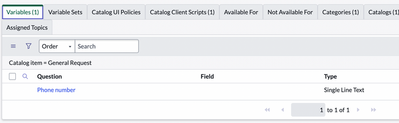
1. Create single line text type variable

2. Catalog client script

function onChange(control, oldValue, newValue, isLoading) {

    //Type appropriate comment here, and begin script below
    if (isLoading)
        return;

    if (newValue == '') {
        g_form.showFieldMsg("phone_number", "Phone number must be provided. Please enter a valid phone number.", "error");
        return;
    }
    var regex = /^[+\d\s]{0,}$/;

    if (newValue != '' && !regex.test(newValue)) {
        g_form.showFieldMsg("phone_number", "Invalid phone", "error");

    } else {

        //Call script include
        var ga = new GlideAjax('global.ValidatePhoneNumberUtils'); //Scriptinclude
        ga.addParam('sysparm_name', 'validatePhoneNumber'); //Method
        ga.addParam('fullPh', newValue); //Parameters
        ga.getXMLAnswer(getResponse);

        function getResponse(response) {

            var res = JSON.parse(response);
            console.log(res);

            var valid = res.valid;
            var country = res.country;

            if (!valid)
                g_form.showFieldMsg("phone_number", "Phone number you entered for " + country + " country is not valid. Please enter number in right format.", "error");
            else
                g_form.showFieldMsg("phone_number", "You entered a valid phone number for " + country + ".", "info");
        }
    }

}
3. Client callable script include
var ValidatePhoneNumberUtils = Class.create();
ValidatePhoneNumberUtils.prototype = Object.extendsObject(AbstractAjaxProcessor, {

    validatePhoneNumber: function() {

        var fullPh = this.getParameter('fullPh');
        var obj = {};

        var gePN = new GlideElementPhoneNumber();

        obj.valid = gePN.setPhoneNumber(fullPh, true);
        obj.country = gePN.getTerritory();
        obj.globaldisplayValue = gePN.getGlobalDisplayValue();

        return JSON.stringify(obj);
    },


    type: 'ValidatePhoneNumberUtils'
});

Result:


Hope this helps!
https://www.servicenow.com/community/hrsd-articles/setting-up-phone-number-validation-on-now-platform-phone-number/ta-p/2444496