
UI Builder Components: List menu, List and Form
With List Menu, List and Form it is very easy to define new Workspace like pages.
Step by step:
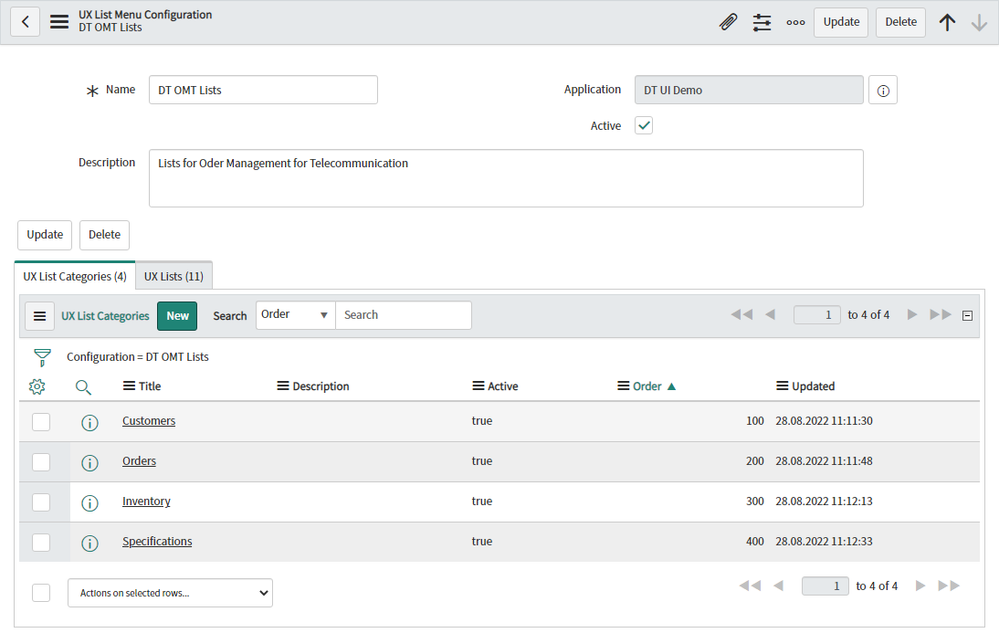
1. Define your selection of lists in the table “sys_ux_list_menu_config”
You must define first categories and then select lists for each category.


2. List Menu component
Put the List Menu component on your page and select the list configuration in config field “Configuration”


3. List Component
Put the List component on the same page and set the config values for “Table”, “Title”, “Filter” and “Columns”

4. Create a page to display one record
To create a page to display a form you can select the page template “Record” or you can create an own page to display one record.
This page must have 2 parameters for table name and record sys_id

5. Connect the record in the list with the form page
Define for the list component the event “Row Clicked” and combine this with “Link to destination” action.


https://www.servicenow.com/community/next-experience-articles/ui-builder-components-list-menu-list-and-form/ta-p/2396122