
ServiceNow Tips and Tricks Using Syntax Macros to Simplify Writing JavaScript


 Scott Trumble
 ServiceNow Tips and Tricks on using Syntax macros to simplify writing JavaScript in ServiceNow from Milestone’s Scott Trumble, Director of ServiceNow ITX Practice.
With a couple of keystrokes, you can automatically build common code or header blocks.
Just Type the Keyword followed by a tab.
Vargr -Inserts a standard GlideRecord query for a single value.
Vargror – Inserts a GlideRecord query for two values with an OR condition.
For- Inserts a standard for loop to iterate an array.
Info – GlideSystem information message.
Method – Inserts a blank JavaScript function template.
Doc – Inserts a comment block for describing a function or a set of parameters.
For Example
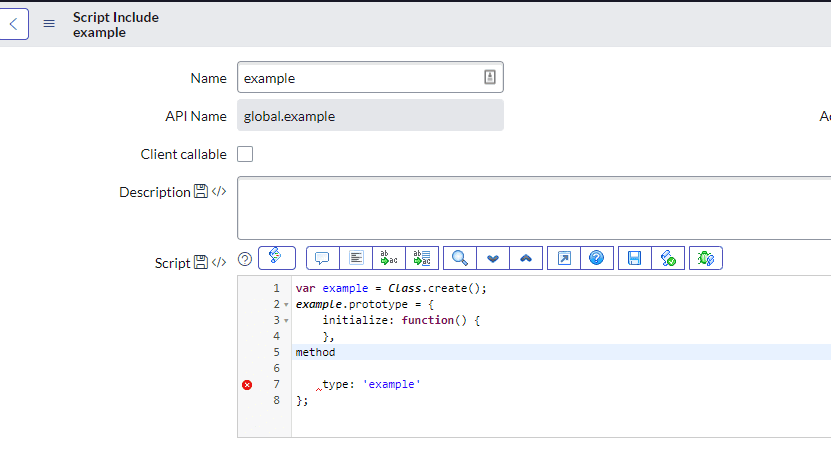
Type method and the tab
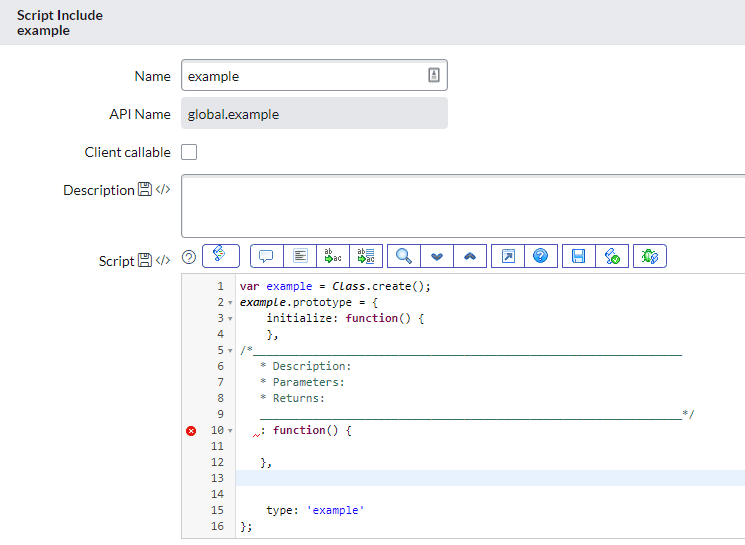
Now just fill in your details.
But Wait, There’s More!
You can edit the syntax macros or create your own.
Just Go to the System Definition>> Syntax Editor Macros.
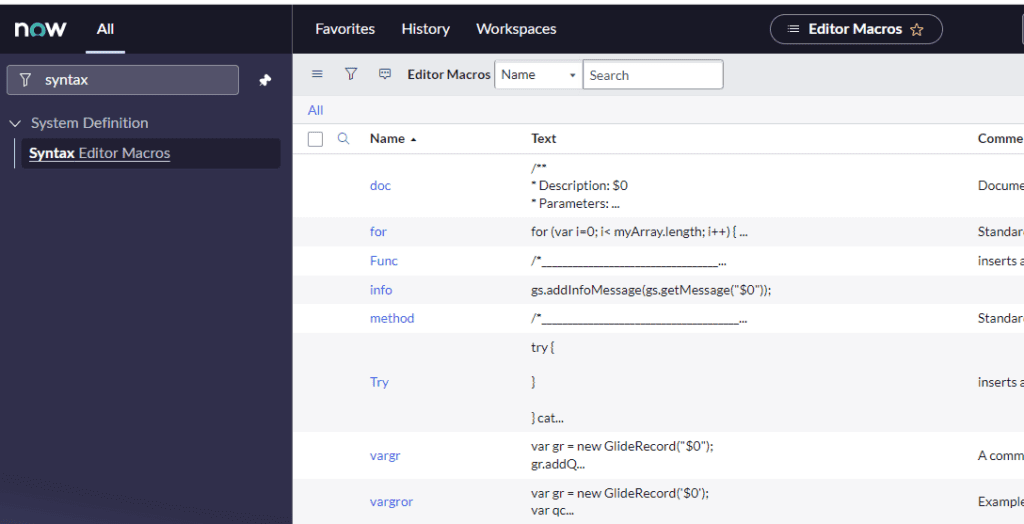
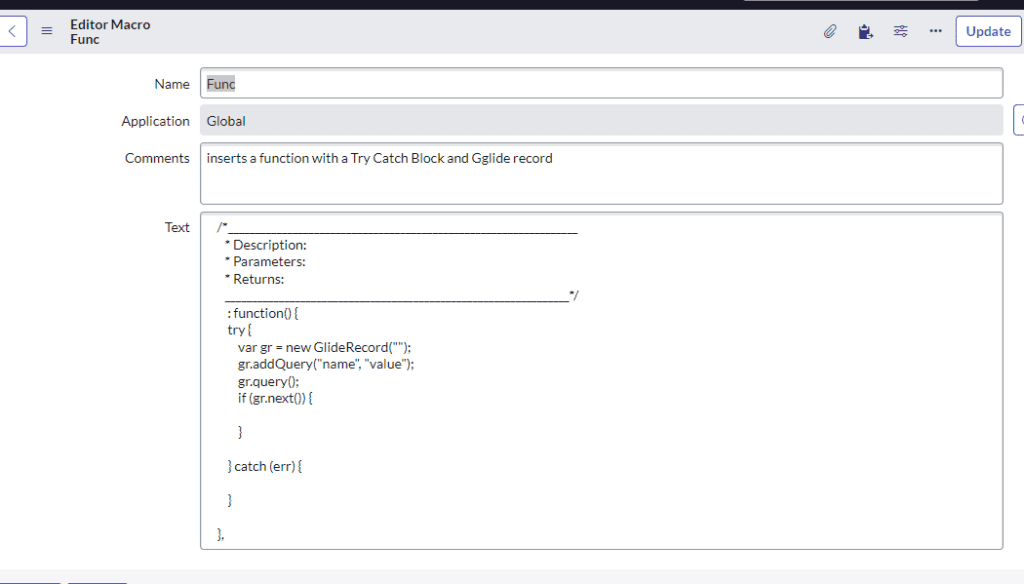
As a hardcore advocate for error trapping, I like to add one to create my try-catch blocks.
I have combined them to stub out an entire function.
Hit enter to search or ESC to close
https://www.covestic.com/blog/servicenow-tips-and-tricks-using-syntax-macros-to-simplify-writing-javascript/